Audacity 4.0.0 Portable

Audacity

🎵 Audacity 4.0.0 Portable – Professional Audio Recording & Editing Software

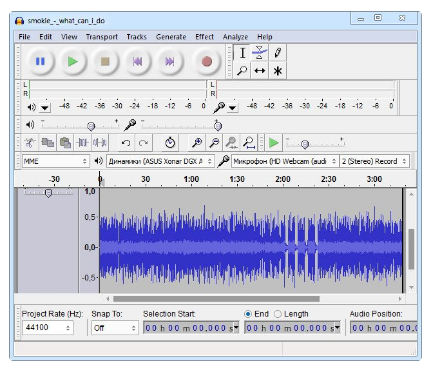
Audacity 4.0.0 Portable is a Windows audio recording and editing application designed for recording, editing, mixing, and processing digital audio. It provides a multi-track workspace with waveform editing, effects, audio analysis, and export tools for a wide range of music, voice, podcast, and sound-production tasks.

⭐ Key Features

  • ✔ Record live audio through supported microphones and input devices
  • ✔ Edit audio using waveform-based multi-track tools
  • ✔ Cut, copy, paste, trim, split, and rearrange audio sections
  • ✔ Mix multiple audio tracks within the same project
  • ✔ Apply built-in audio effects and processing tools
  • ✔ Change volume, pitch, tempo, and other audio properties
  • ✔ Remove or reduce unwanted background noise
  • ✔ Analyze audio using spectrogram and waveform views
  • ✔ Support plug-ins and additional audio effects
  • ✔ Export finished projects to supported audio formats

📌 File Information

Software: Audacity 4.0.0 Portable.rar
File Size: 47.9 MB
Format: RAR Archive
Category: Audio Editor / Audio Recorder / Music Production
Platform: Windows

🎙️ Record Audio

Audacity provides tools for recording audio through supported microphones, line inputs, and other available recording devices. This makes it suitable for recording voice, instruments, interviews, podcasts, and other audio sources.

🎵 Multi-Track Audio Editing

The application provides a multi-track editing environment where audio recordings can be arranged and edited independently. Multiple tracks can be combined to create more complex audio projects and mixes.

✂️ Cut & Arrange Audio

Audio clips can be selected and edited using standard operations such as cutting, copying, pasting, trimming, splitting, and moving sections. These tools make it easier to remove unwanted portions and arrange recordings into the desired sequence.

🎶 Mix Multiple Tracks

Separate recordings can be combined within the same project to create multi-track mixes. Users can work with voice, music, effects, and other audio elements while adjusting their relative levels and positioning.

🎨 Audio Effects

Audacity includes a range of audio effects and processing functions for modifying recordings. Depending on the selected operation, users can adjust characteristics such as volume, tone, dynamics, pitch, and timing.

🔄 Change Pitch & Tempo

Audio can be processed to alter pitch or tempo according to the requirements of a project. These tools can be useful for correcting recordings, creating creative effects, or adjusting material to fit a particular production.

🔍 Noise Reduction

Noise-reduction tools can help reduce certain types of unwanted background noise in supported recordings. This can be useful when preparing voice recordings, interviews, podcasts, and other material recorded in less-than-ideal environments.

📈 Waveform & Spectrogram Analysis

Audio can be examined visually using waveform and spectrogram views. These representations help users inspect the structure and frequency characteristics of recordings while editing or analyzing sound.

🔧 Plug-ins & Audio Processing

Audacity supports compatible plug-ins and additional audio effects, allowing users to expand the application's processing capabilities. This can provide access to additional tools for mixing, mastering, sound design, and audio restoration.

💾 Export Audio Projects

Finished recordings and mixes can be exported to supported audio formats for playback, distribution, archiving, or further processing in other applications.

🎧 For Music, Voice & Podcasts

Audacity can be used for a variety of audio projects, including music editing, voice recording, podcast production, interviews, sound effects, and basic audio restoration. Its combination of recording, editing, mixing, and processing tools provides a flexible environment for everyday audio work.

⬇ Download Audacity 4.0.0 Portable


🔥 Download from FilesPay - 47.9 MB


You might also like