
CopyWin 4.76
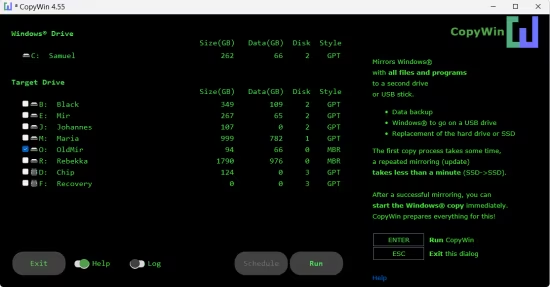
CopyWin is a streamlined and efficient file management utility designed to enhance and accelerate the file copying and moving process within Windows. It serves as a powerful alternative to the standard Windows Explorer copy function, offering better handling of large data transfers and more robust error recovery. By utilizing optimized buffer management, CopyWin can significantly reduce the time required to transfer files between different drives or across a network.
The software is built for reliability, featuring a resume capability that allows users to pick up where they left off if a transfer is interrupted by a system crash or connection loss. It also provides advanced features such as speed limiting to prevent the copy process from consuming all available disk bandwidth, and a verification system to ensure that the destination files are identical to the originals. Its lightweight design and straightforward interface make it an essential tool for users who frequently manage large volumes of data.
- High-Speed File Transfer: Uses advanced buffering techniques to maximize throughput and speed up copying and moving operations.
- Pause and Resume: Take full control of your file operations with the ability to pause tasks and resume them later without starting over.
- Error Recovery: Intelligently handles copy errors and retries failed operations to ensure your data reaches its destination securely.
- File Verification: Includes checksum-based verification to confirm that the copied files are bit-for-bit identical to the source.
- Speed Throttling: Adjustable speed limits allow you to perform large transfers in the background without slowing down your other applications.
- Collision Management: Set automated rules for how to handle duplicate files, such as skipping, overwriting, or renaming.
- Lightweight Resource Usage: Designed to be extremely efficient, consuming minimal system memory and CPU power during operation.