
DesktopUp 2.0.1

🖥 DesktopUp 2.0.1 – Virtual Desktop Management & Workspace Organizer
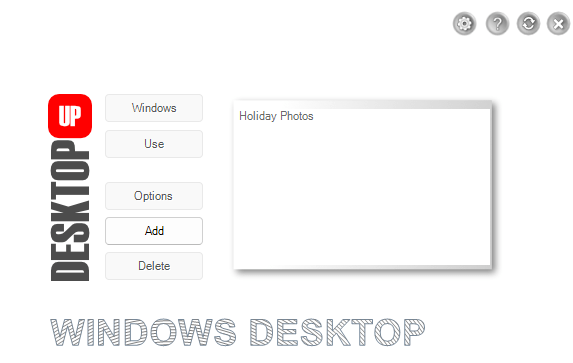
DesktopUp 2.0.1 is a Windows desktop utility designed to help users create multiple virtual desktop environments and switch between different workspaces. Each desktop can be configured around a particular activity, making it easier to separate applications and keep the working environment organized.
⭐ Key Features
- ✔ Create multiple virtual desktop environments
- ✔ Switch between different desktop workspaces
- ✔ Organize applications according to different activities
- ✔ Assign selected programs to individual desktops
- ✔ Keep workspaces separated for different tasks
- ✔ Reduce clutter caused by having many applications open together
- ✔ Provide a straightforward desktop-switching workflow
- ✔ Help organize application-focused working environments
- ✔ Support Windows 10 and Windows 11 systems
📌 File Information
Software: DesktopUp 2.0.1.zip
File Size: 1.6 MB
Format: ZIP Archive
Category: Desktop Utilities / Virtual Desktops / Workspace Management
Platform: Windows
📖 About DesktopUp 2.0.1
DesktopUp provides an alternative approach to organizing the Windows desktop by allowing users to maintain separate virtual workspaces. Instead of keeping every application visible within one environment, different programs can be associated with different desktops and accessed when needed.
For example, one workspace can be arranged around office or productivity applications, while another can be prepared for browsing, development, media work, or other activities. Switching desktops allows users to move between these environments without having to reorganize the entire screen each time.
The utility is particularly suited to users who regularly work with several groups of applications and want a cleaner way to separate those activities.
📊 Virtual Workspace Management
DesktopUp focuses on keeping different working environments independent from one another. Users can create desktops for specific purposes and choose which programs should be available when moving into a particular workspace.
This approach can make a busy Windows session easier to manage, especially when multiple projects or unrelated tasks are being handled during the same workday.
🔄 Switching Between Desktops
Moving between configured desktops provides a quick way to change the working context. Instead of closing applications or manually rearranging windows, users can switch to another prepared environment and continue with a different set of programs.
