
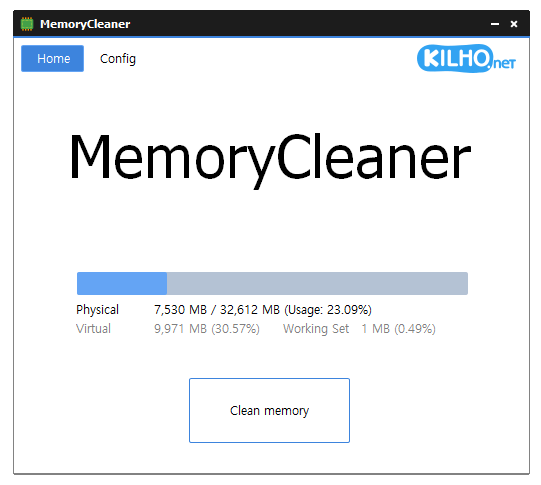
MemoryCleaner 2.0.2

🧠 MemoryCleaner 2.0.2 – Windows RAM Monitoring & Memory Management Utility
MemoryCleaner 2.0.2 is a lightweight Windows utility designed to monitor and manage system memory usage. It can help users keep track of available RAM, observe memory consumption, and perform memory-cleaning operations when additional free memory is desired.
⭐ Key Features
- ✔ Monitor current RAM usage
- ✔ Display available and occupied system memory
- ✔ Help release unused memory resources
- ✔ Provide quick access to memory-cleaning functions
- ✔ Assist with observing changes in memory consumption
- ✔ Offer a lightweight interface for RAM management
- ✔ Useful for troubleshooting unusually high memory usage
- ✔ Help users keep track of system-memory conditions
- ✔ Designed as a compact Windows system utility
📌 File Information
Software: MemoryCleaner 2.0.2.zip
File Size: 3.01 MB
Format: ZIP Archive
Category: System Utilities / Memory Management / Performance
Platform: Windows
📖 About MemoryCleaner 2.0.2
MemoryCleaner provides a simple way to keep an eye on the amount of RAM being used by Windows and running applications. Its compact design makes it suitable for users who want a dedicated memory-monitoring utility without installing a large system-optimization package.
The application can be useful when a computer is running multiple programs simultaneously and available memory is becoming limited. Users can review memory conditions and use the available cleaning function when they want to attempt to free memory resources.
Memory management can also be useful during troubleshooting. Monitoring RAM usage over time may help identify applications that consume unusually large amounts of memory or contribute to system slowdowns.
📊 RAM Monitoring
MemoryCleaner 2.0.2 makes system-memory information readily accessible so users can see how much RAM is currently being utilized. This can provide a quick overview of whether memory pressure may be contributing to reduced system responsiveness.
⚙ Memory Management
The cleaning functionality is intended to release memory that Windows or applications can make available for other tasks. However, modern versions of Windows already manage RAM dynamically, so manually cleaning memory is generally most useful as a troubleshooting or situational tool rather than something that needs to be performed constantly.
🔍 Performance Troubleshooting
When applications become sluggish or the system starts experiencing heavy memory usage, a dedicated monitor can make it easier to observe what is happening. MemoryCleaner can complement Windows Task Manager and other diagnostic utilities when investigating memory-related performance issues.
