
SumatraPDF v3.6.1 Portable

Sumatra PDF

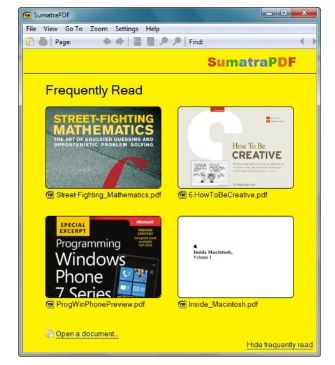
SumatraPDF is a free and open-source document viewer for Windows designed for fast and lightweight performance. Built on the MuPDF rendering engine for processing PDF files, the application focuses entirely on a minimalist user experience without interface clutter. It operates efficiently as a single executable file with no external dependencies, making it highly optimized to load electronic documents, books, and technical manuals instantly without background performance drag.

The utility features an agile core written in C++ against the native Win32 API to maintain a small footprint and maximize execution speed. Beyond basic viewing, SumatraPDF incorporates a tabbed interface for managing multiple files simultaneously, a command palette for rapid tool navigation, customizable text selection tools, and advanced settings file parsing. It functions natively on Windows platforms, saving individual file history and session placement variables automatically to return users back to their exact reading coordinates upon launch.

Features

Multi-Format Layout Ingestion

  • Universal Format Reading: Renders PDF, DjVu, and Microsoft Compiled HTML Help (CHM) structures natively inside a unified window panel.
  • Digital eBook Layout Support: Opens unencrypted EPUB, MOBI, FictionBook (FB2), and PalmDOC (PDB) ebook variations cleanly.
  • Comic Book Archive Interrogation: Ingests compressed CBZ, CBR, CBT, and CB7 comic archive extensions along with standalone image containers smoothly.

User Interface & Navigation Cores

  • Multi-Tab Workspace Layout: Organizes separate documents concurrently within an integrated tabbed interface strip to streamline active reading workflows.
  • Interactive Command Palette: Deploys a dedicated command field (accessed via Ctrl + K) to quickly execute application tools, configuration variables, and settings adjustments.
  • Flexible Document Presentation: Cycles between single page views, continuous vertical scrolling layouts, facing book views, and full-screen presentations effortlessly.

Advanced Layout Configurations & Technical Tools

  • Granular Shortcut Customization: Permits users to remap core keyboard combinations directly to adjust navigation controls and interface execution states.
  • Bi-Directional SyncTeX Integration: Supports SyncTeX data links to maintain precise bidirectional synchronization between TeX source documents and PDF code outputs.
  • Advanced Parameter Overrides: Provides a dedicated plain text settings file to manually override interface colors, document background values, and text selection highlights.

Download SumatraPDF v3.6.1 Portable
Filespayout - 18.5 MB

You might also like