
PDFgear 2.1.20
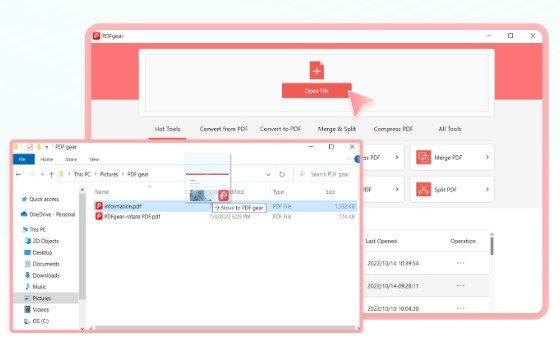
📄 PDFgear 2.1.20 – PDF Editing, Reading & Document Management Software
PDFgear 2.1.20 is a Windows PDF utility designed for reading, editing, annotating, converting, and managing PDF documents. It provides a collection of tools for working with digital documents, including text editing, page organization, annotations, and document conversion.
⭐ Key Features
- ✔ Open and read PDF documents
- ✔ Edit text and other supported PDF content
- ✔ Add annotations, highlights, and comments
- ✔ Organize, reorder, split, and merge PDF pages
- ✔ Convert PDFs to supported document formats
- ✔ Fill and manage supported PDF forms
- ✔ Search and navigate through PDF documents efficiently
📌 File Information
Software: PDFgear 2.1.20.rar
File Size: 133.9 MB
Format: RAR Archive
Category: PDF Editor / Document Management / Productivity
Platform: Windows
📄 Read PDF Documents
PDFgear provides a convenient environment for opening and reading PDF files. Users can navigate through pages, search document content, and work with digital documents from a single application.
✏️ Edit PDF Content
Supported PDF editing tools allow users to make changes to document content. Depending on the document, users can work with text and other editable elements when preparing PDFs for further use.
📝 Add Annotations
PDF documents can be marked up with annotations, highlights, comments, and other supported tools. These features are useful for reviewing documents, adding notes, and emphasizing important information.
📋 Manage PDF Pages
The application provides tools for organizing PDF pages. Users can work with page arrangements and perform supported operations such as splitting or combining documents when preparing files for different purposes.
🔄 Convert PDF Documents
PDFgear can assist with converting PDF content into supported formats for editing or further processing. This can be useful when information needs to be transferred from a PDF into another type of document.
📝 Work with PDF Forms
Supported form features make it possible to interact with digital PDF forms and enter required information. This can be useful for handling electronic documents without printing them first.
🔍 Search & Navigate Documents
Search and navigation features make it easier to locate specific information inside longer PDF files. Users can move between pages and find relevant sections without manually reviewing the entire document.
💻 Useful for Everyday PDF Tasks
PDFgear can be useful for students, office users, professionals, and anyone who regularly works with PDF documents. Its combination of reading, editing, annotation, and document-management features provides a practical PDF workflow.