
SASM 3.16.0 Portable
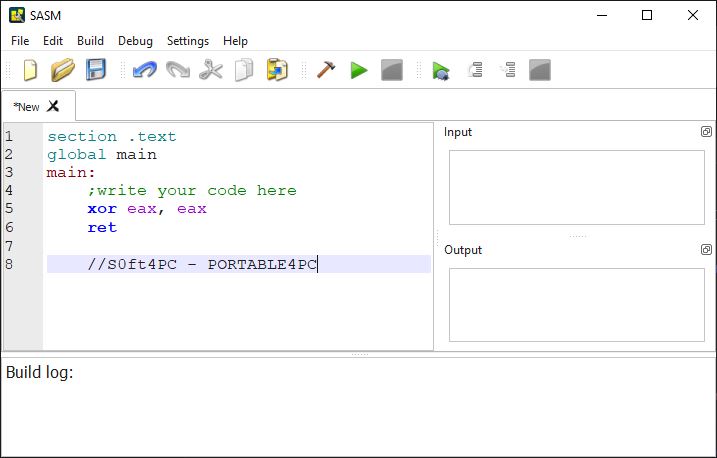
💻 SASM 3.16.0 Portable – Simple Cross-Platform Assembly IDE
SASM 3.16.0 Portable is an integrated development environment designed for working with assembly language programs. It provides a convenient workspace for writing, assembling, running, and debugging assembly code, making it useful for students, programmers, and developers learning or working with low-level programming.
⭐ Key Features
- ✔ Write and edit assembly language source code
- ✔ Assemble programs directly from the development environment
- ✔ Run assembly programs from the IDE
- ✔ Provide debugging tools for assembly code
- ✔ Support syntax highlighting for easier code editing
- ✔ Work with different supported assembly compilers
- ✔ Useful for learning low-level programming concepts
📌 File Information
Software: SASM 3.16.0 Portable.zip
File Size: 29.9 MB
Format: ZIP Archive
Category: Programming / Assembly IDE / Development Tools
Platform: Windows
💻 Write Assembly Code
SASM provides an integrated environment where users can create and edit assembly language source files. The code editor is designed to make working with low-level programming projects more convenient.
⚙️ Assemble Your Programs
Assembly source code can be assembled from within the development environment using supported assemblers. This allows programmers to work through the editing and build process without relying entirely on separate command-line tools.
▶️ Run Assembly Programs
After assembling a project, users can run the resulting program directly from the IDE. This provides a straightforward workflow for testing code and checking how changes affect program execution.
🔎 Debug Low-Level Code
Debugging capabilities help users examine program execution and investigate problems in assembly code. These tools can be particularly useful when learning how instructions, registers, and program flow work at a lower level.
🎨 Syntax Highlighting
Syntax highlighting makes assembly source code easier to read by visually distinguishing different elements of the program. This can improve code navigation and make larger source files more manageable.
📚 Learn Assembly Programming
SASM can be useful for students and programmers who want to learn assembly language and understand how software interacts with computer hardware at a low level. The integrated workflow makes it easier to experiment with code and observe program behavior.
🛠️ Development & Testing
The IDE can be used for creating small assembly projects, experimenting with instructions, testing algorithms, and debugging low-level programs. It brings common development tasks into one organized workspace.
📊 Low-Level Programming Environment
For developers interested in understanding processor instructions and low-level software development, SASM provides tools for editing, building, executing, and debugging assembly programs within a single interface.